


Multi User Inventory Count / Stock Take
In this fastest growing technology world, almost all Businesses with Multiple Products and Multiple Warehouses uses Inventory Management Solutions for Automating all processes to Manage Inventory but because of various reasons like physically damaged products, theft reasons, misplacement of products and many such real time incidencies, it is mandatory to compare and match What quantity of products do you have physically versus what your Stock count or Inventory Management Software says you should have?
Inventory Count Solution designed by us not only allows you to avoid such discrepancies and get rid of such Nightmares but manage various other processes too in Automated way while syncing up the Physical availability of products to the one with stock count in Inventory Management Software.

Community Enterprise Odoo.sh
Inventory Count / Stock Rate






In this fastest growing technology world, almost all Businesses with Multiple Products and Multiple Warehouses uses Inventory Management Solutions for Automating all processes to Manage Inventory but because of various reasons like physically damaged products, theft reasons, misplacement of products and many such real time incidencies, it is mandatory to compare and match What quantity of products do you have physically versus what your Stock count or Inventory Management Software says you should have?
Inventory Count Solution designed by us not only allows you to avoid such discrepancies and get rid of such Nightmares but manage various other processes too in Automated way while syncing up the Physical availability of products to the one with stock count in Inventory Management Software.
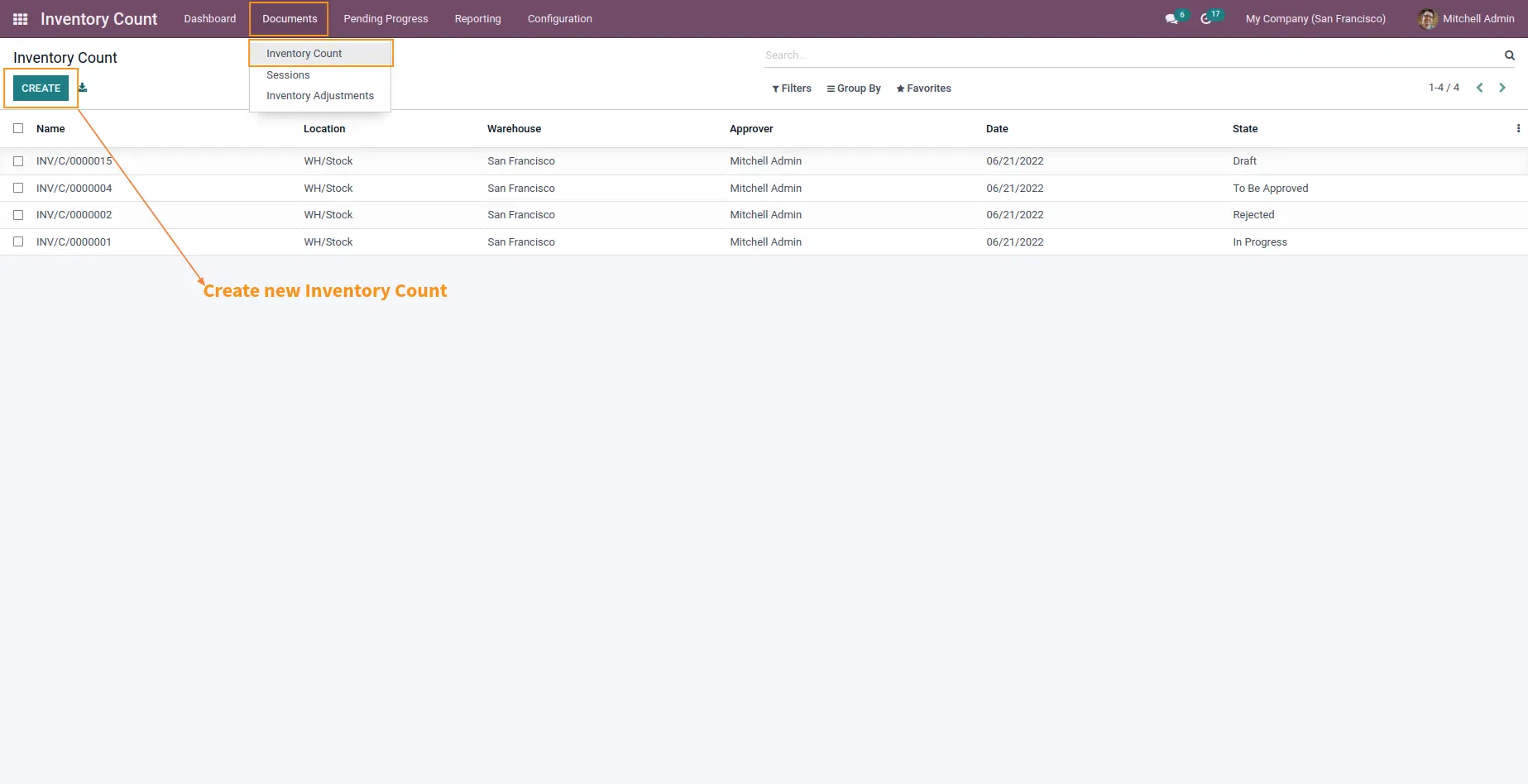
It Automates and solves various process of your Business while counting stock manually like
Which employee will perform this process of Physical Stock Count?
Which Manager will take analytical decisions?
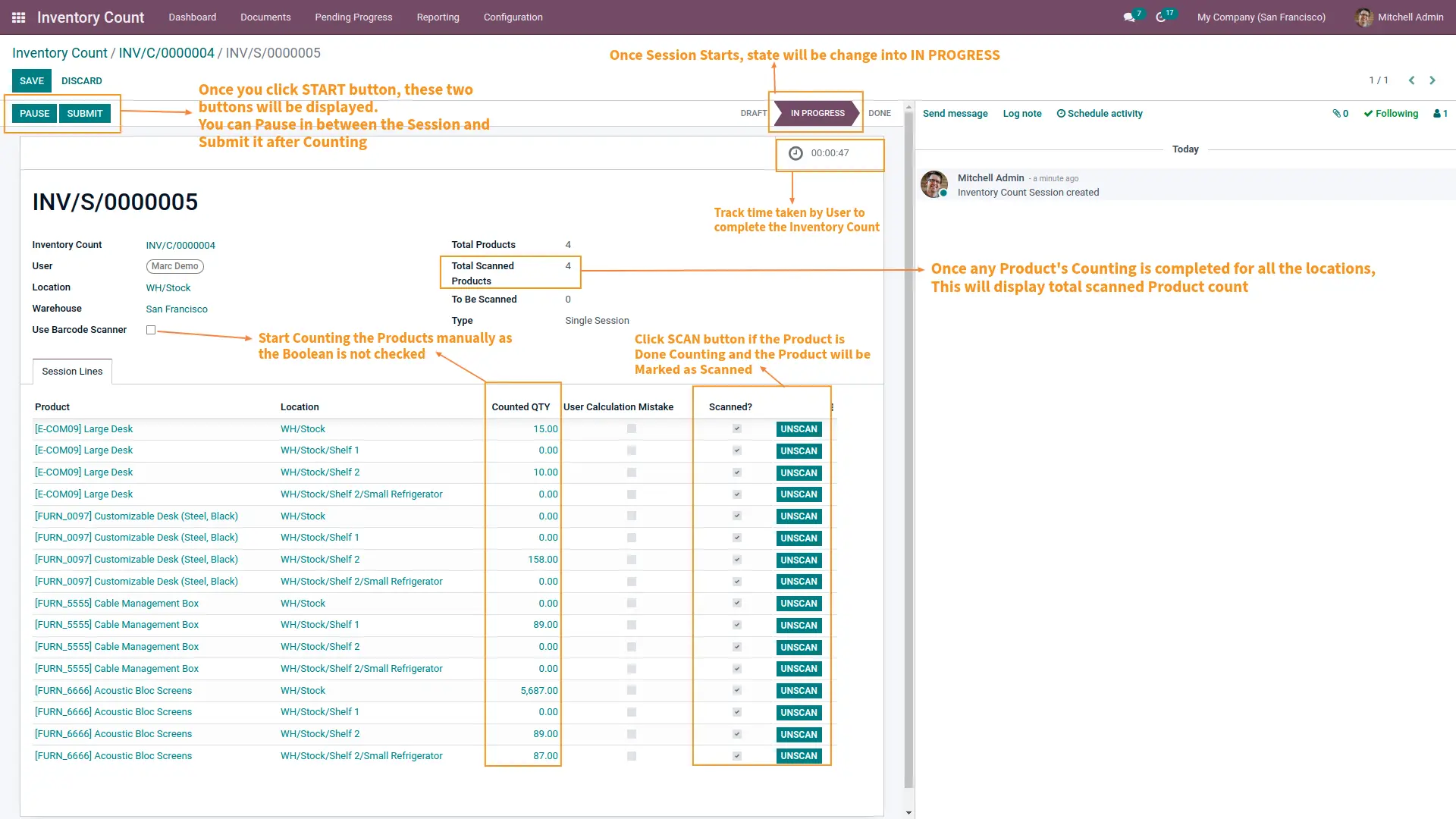
How much time does your employee spend to count inventories?
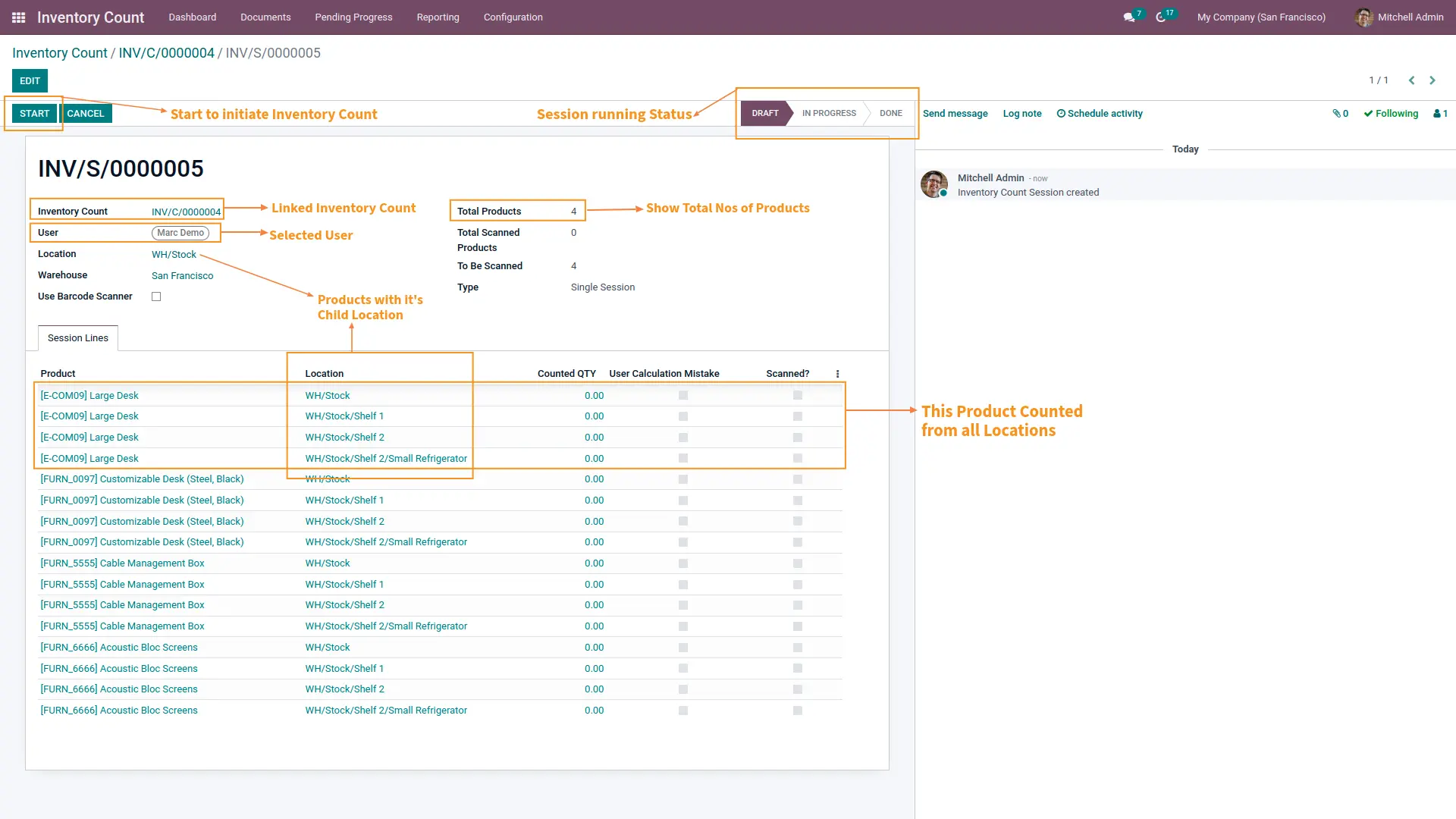
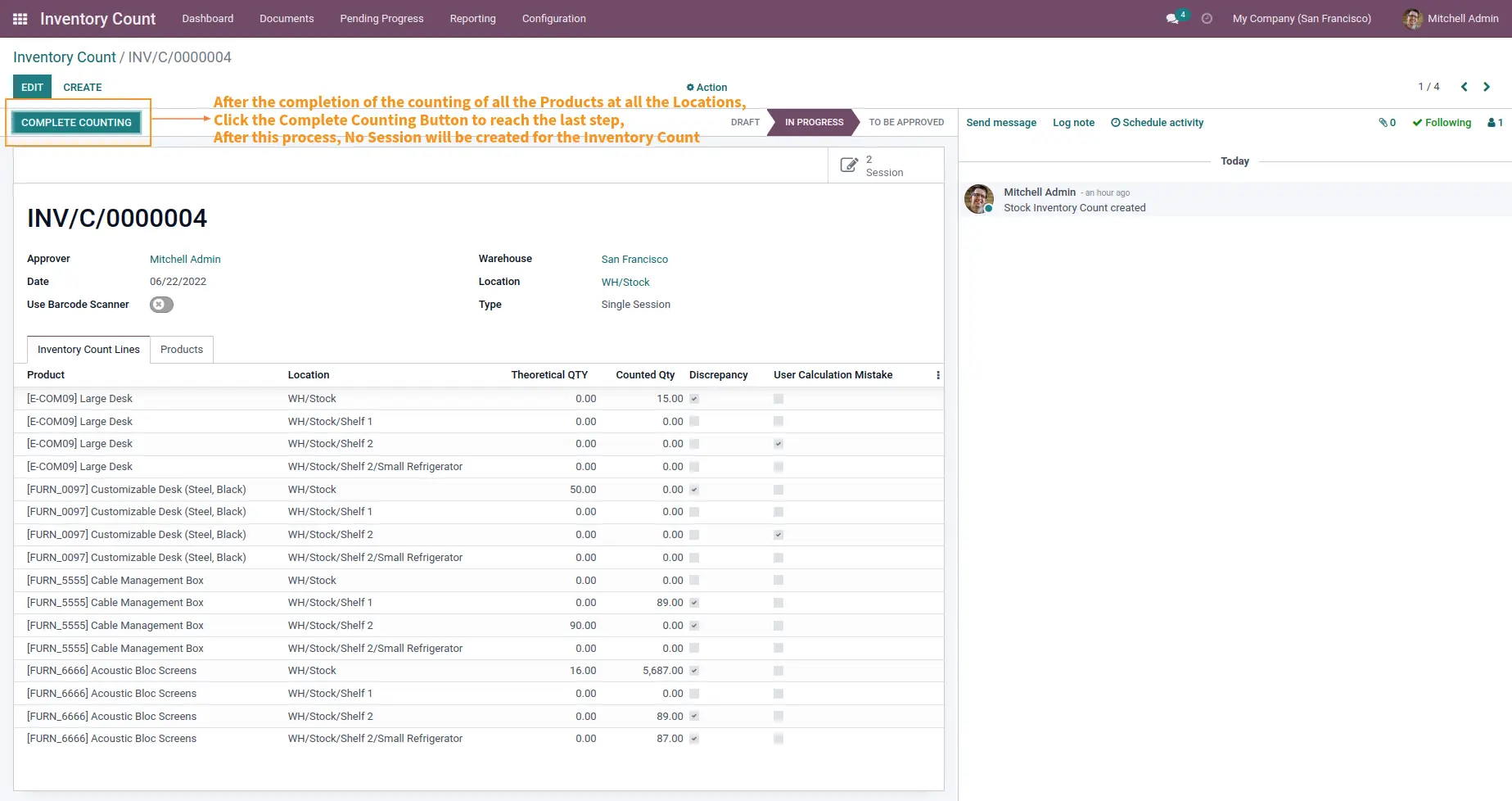
Which employee will perform Inventory counting for which Warehouse and which location?
How to analyze the accuracy and performance of employees?
How to manage and synchronize multiple teams at multiple locations simultaneously for a large number of products and multiple Warehouses?
How to analyze and decide which manager employees are involved in which Physical count task to plan and assign future work?
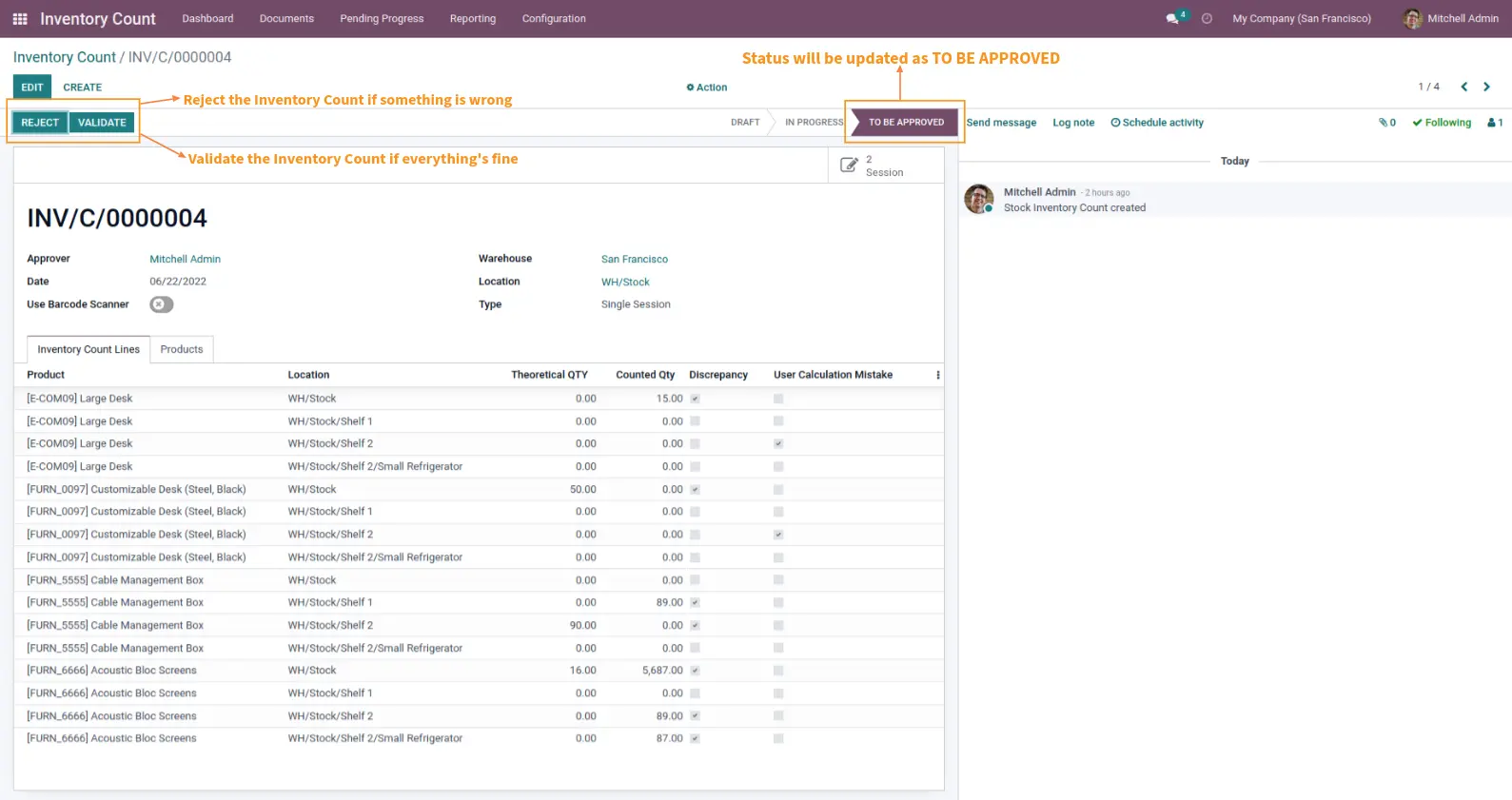
Decide on approval or rejection of Inventory count by employee
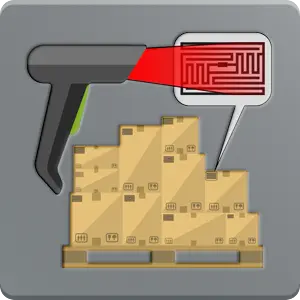
Barcode scanning system feasibility also provided with this solution for counting products with Multiple Quantities avoiding manual count and thus error.
Set Plannar
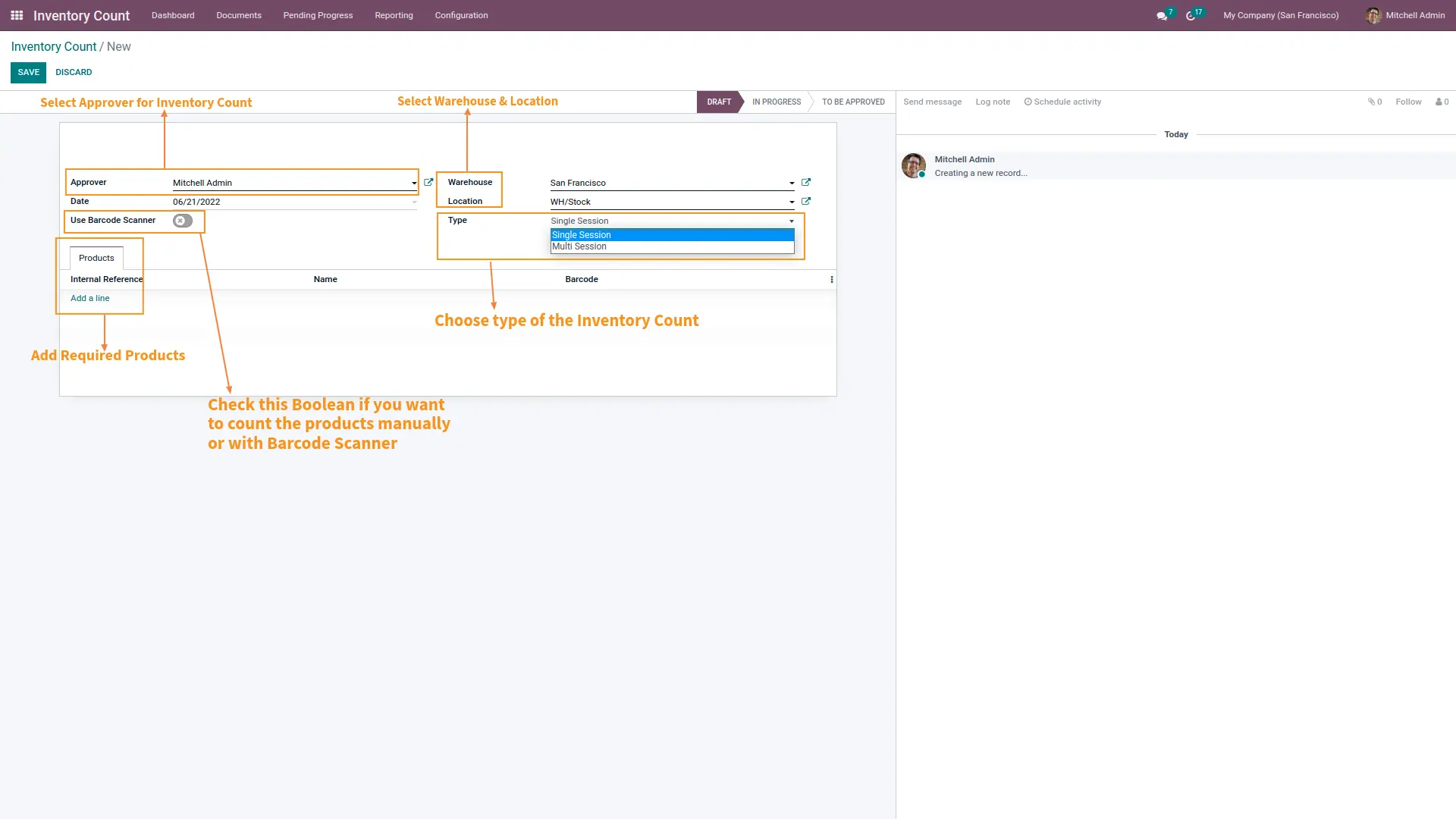
Planner of Inventory Counting can be set based on Users’ choice where user can
Set Warehouse in which Inventory Count should be performed
Set Frequency Day after which every time checking should be performed
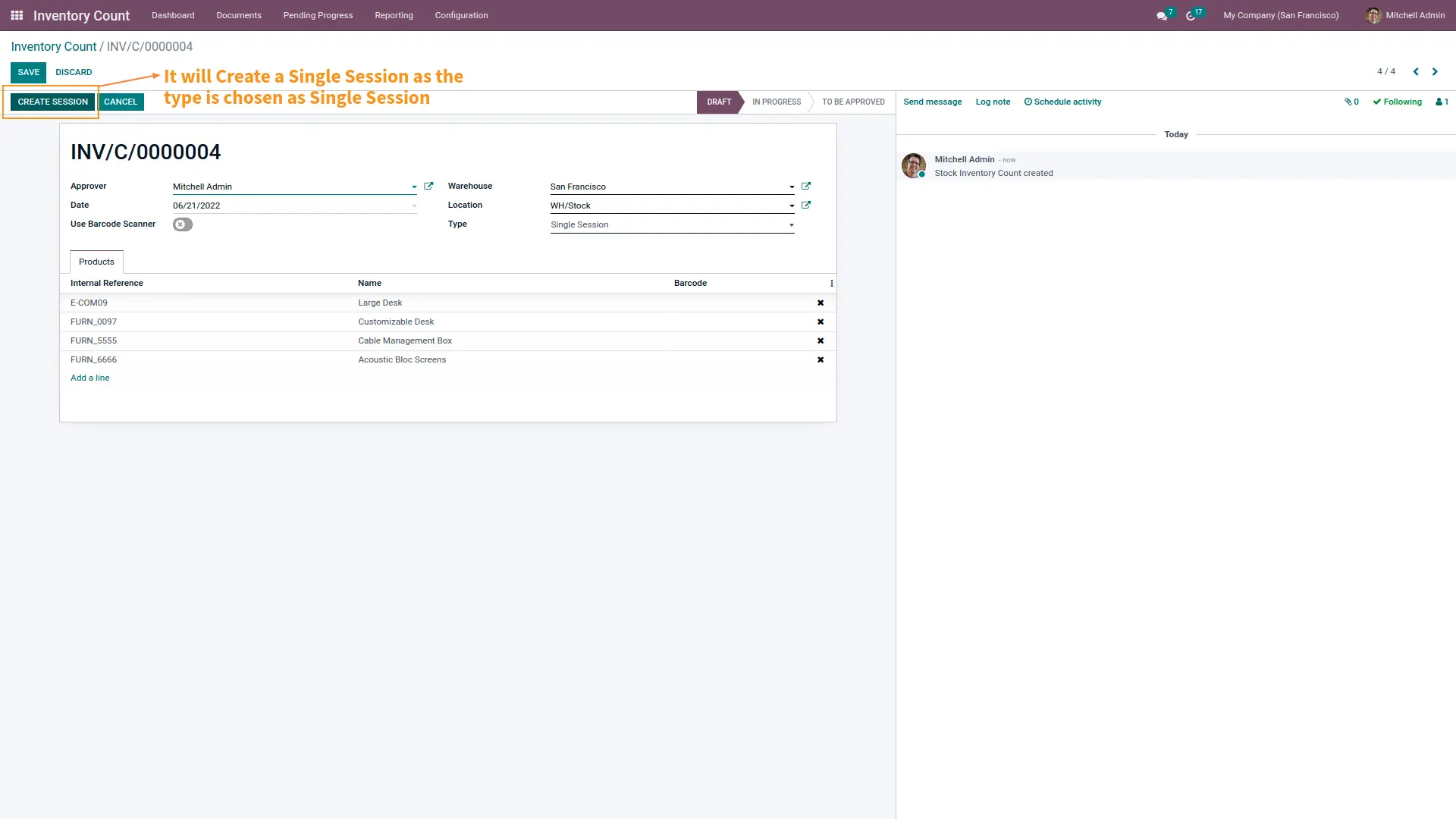
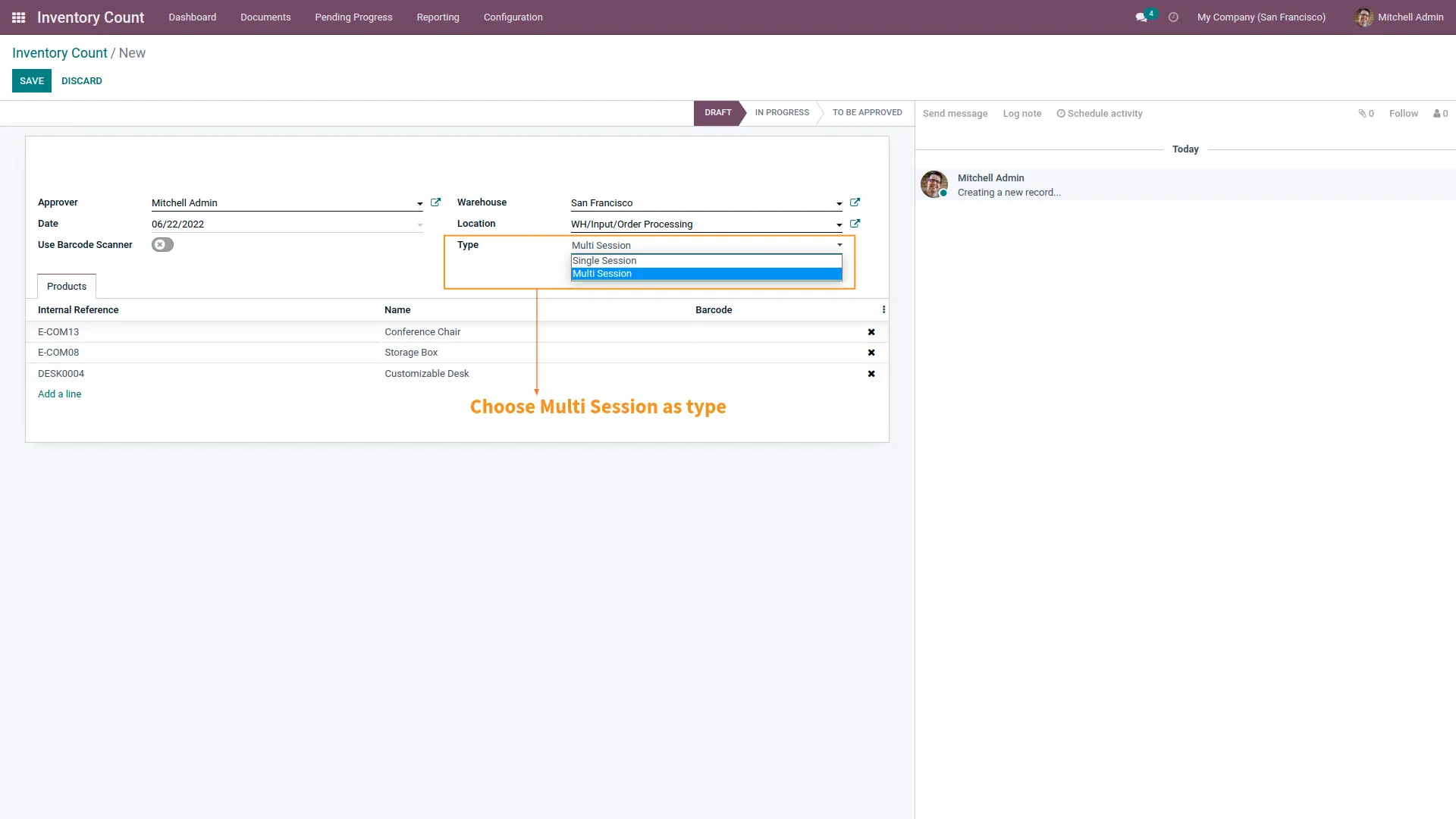
Set type whether counting should be done for a single or Multiple session
Select Products that should be checked
Track Records of Inventory Count
Users can track records and status of Inventory Count done based on Scheduled Action by setting planar of Inventory Count.
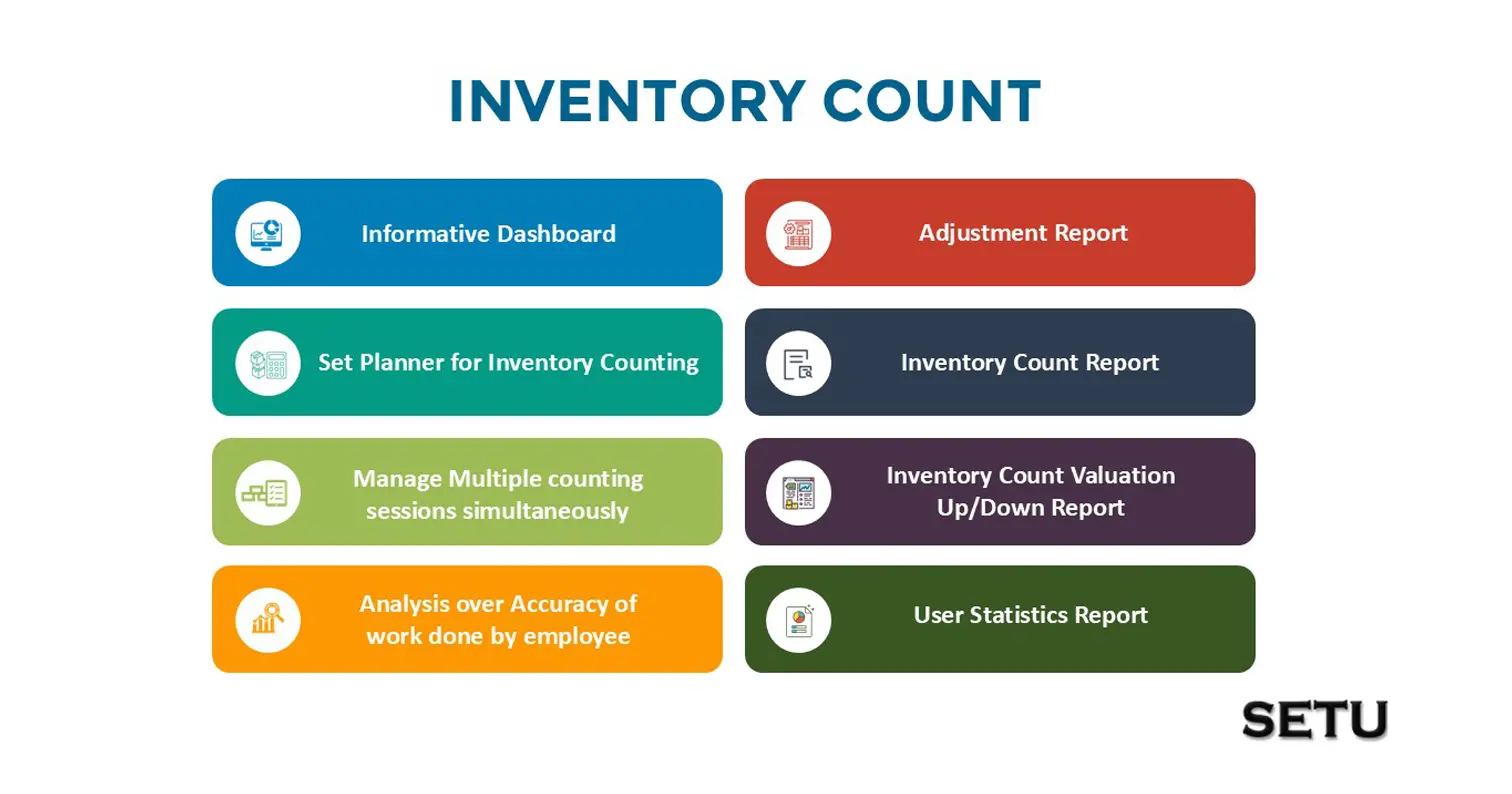
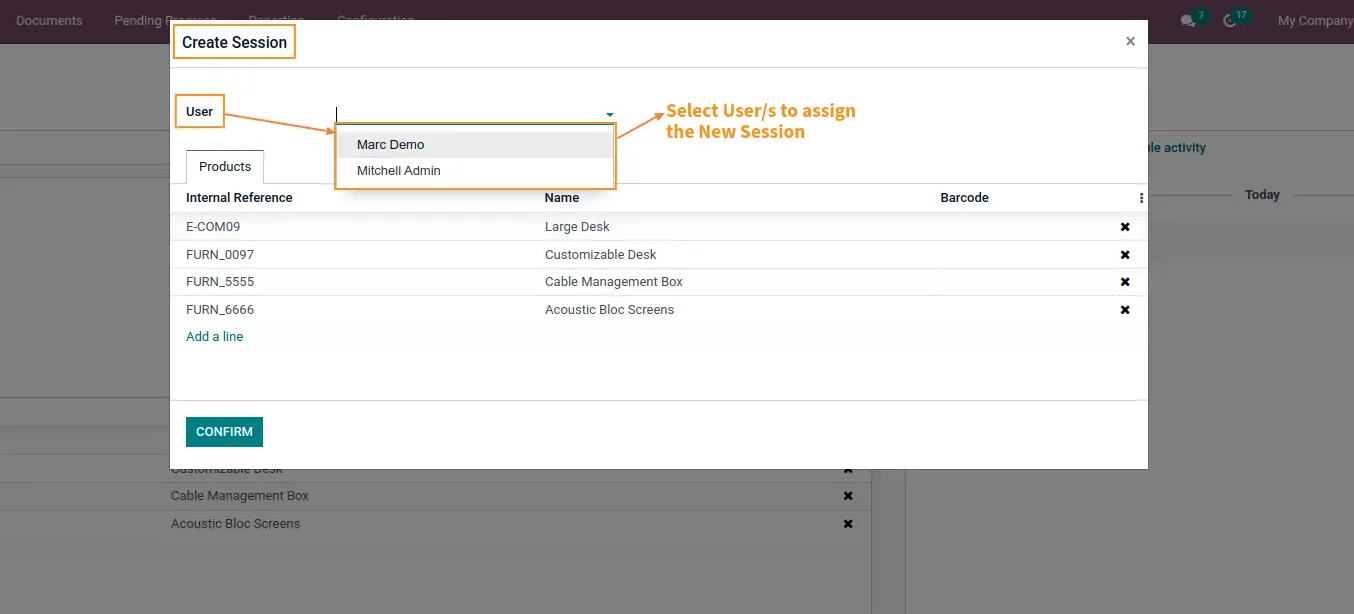
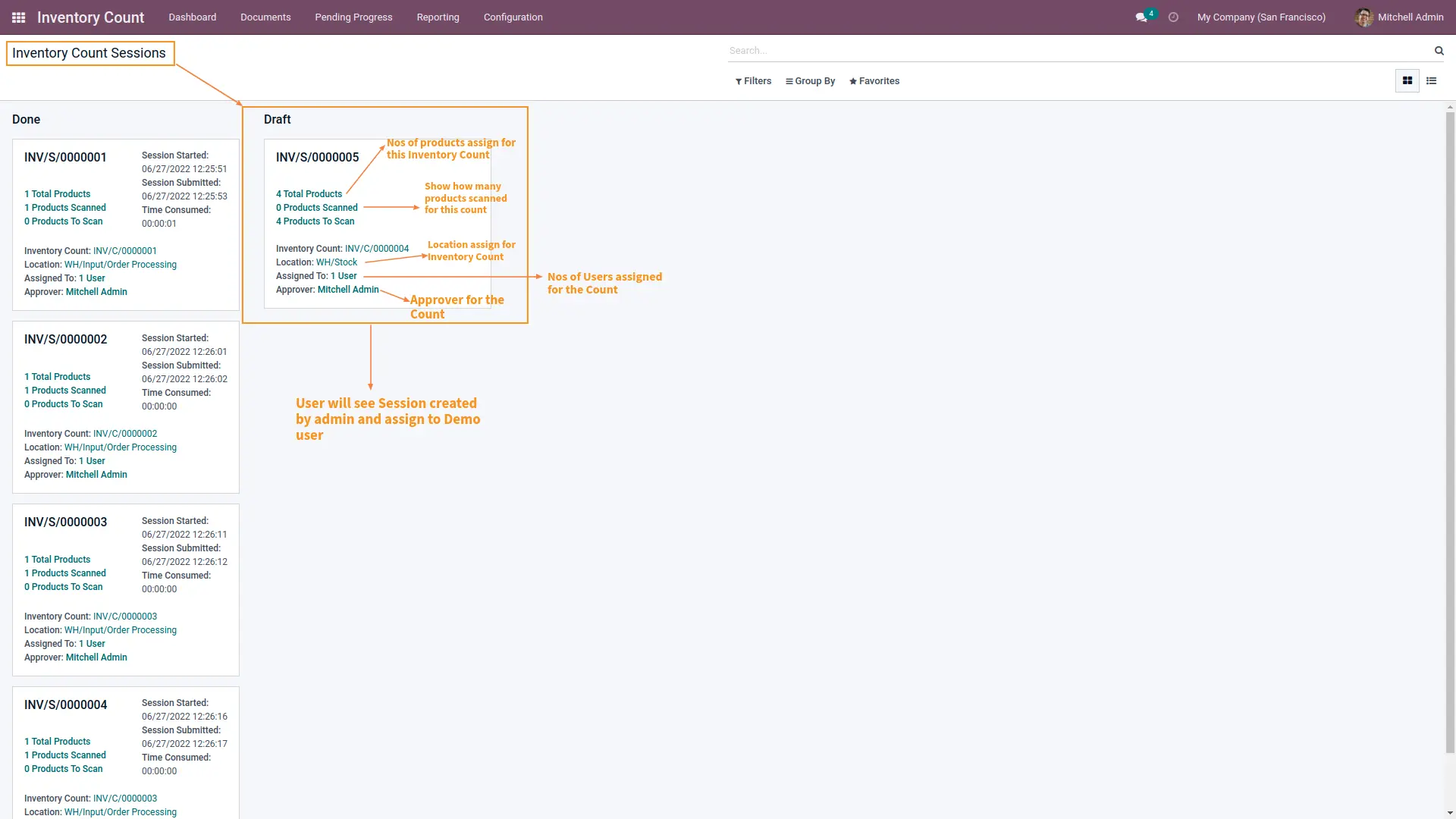
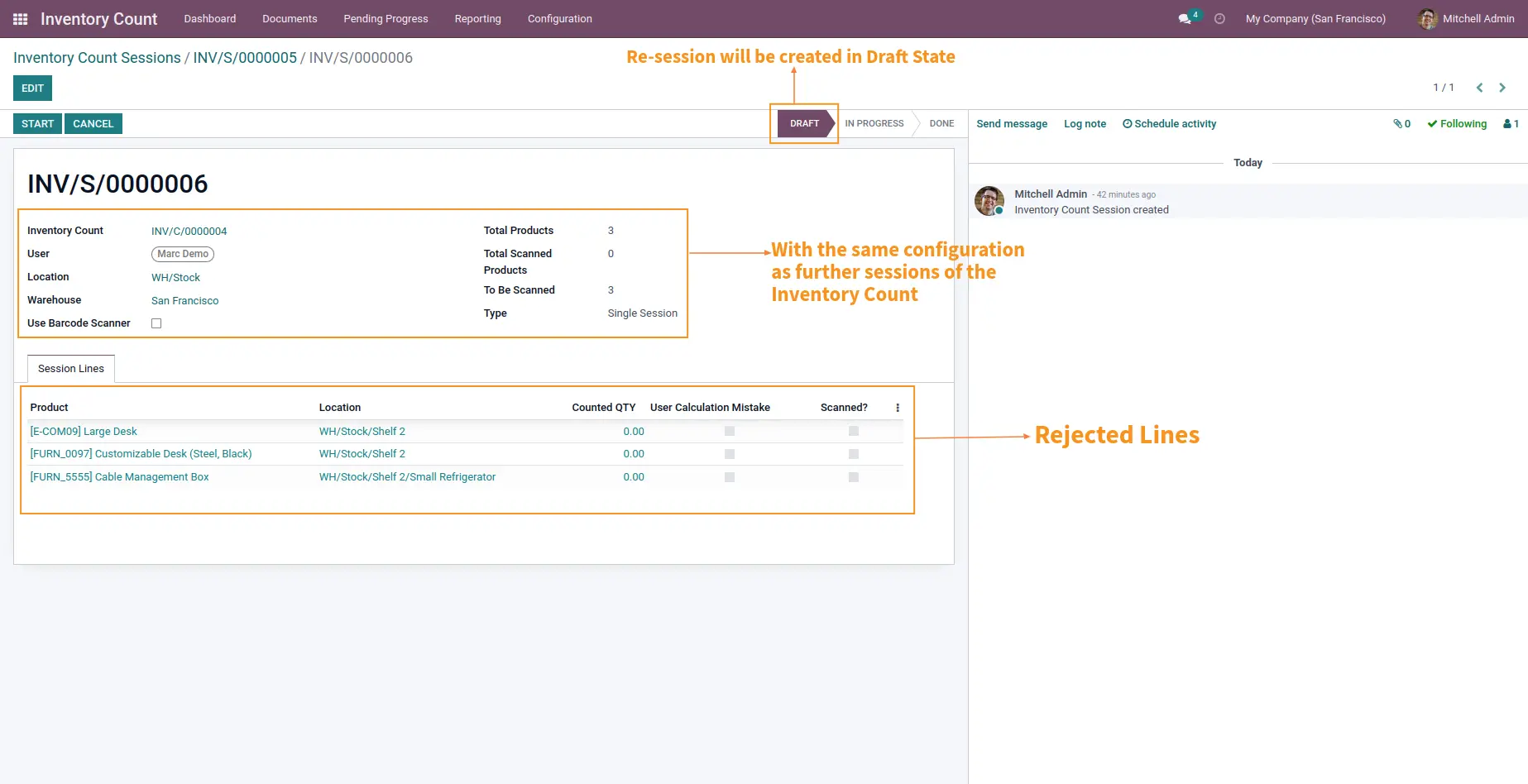
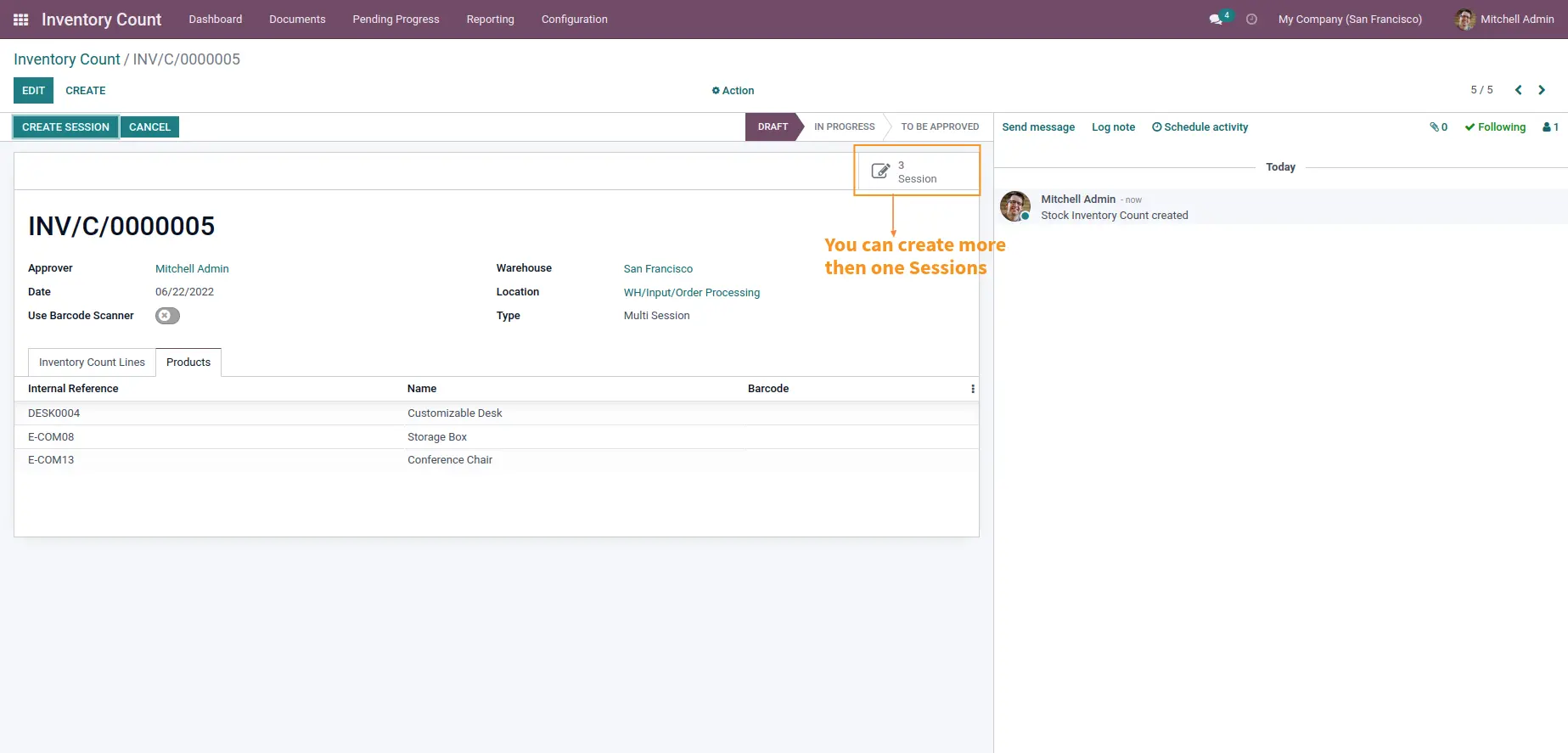
Manage multiple Session simultaneously
It allows you to set and manage multiple sessions to verify physical quantity of products when there are multiple Warehouses and Multiple locations where a single user performing a complete task becomes too time consuming and practically impossible.
Analysis over accuracy of work done by employee
Allows to analyze the performance throughput of employees and take necessary decisions by comparing the physical quantity counted by them and the one in the system.
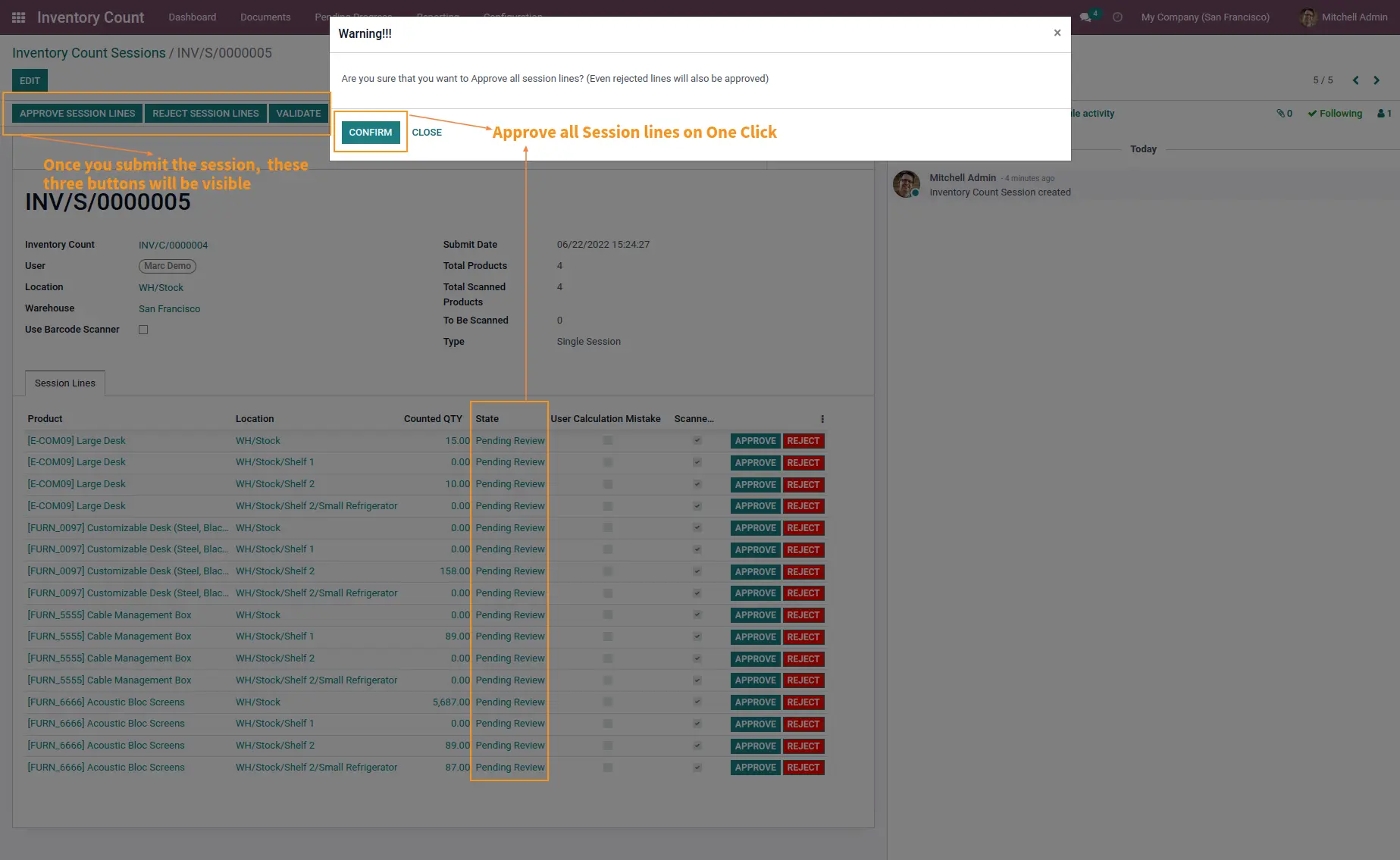
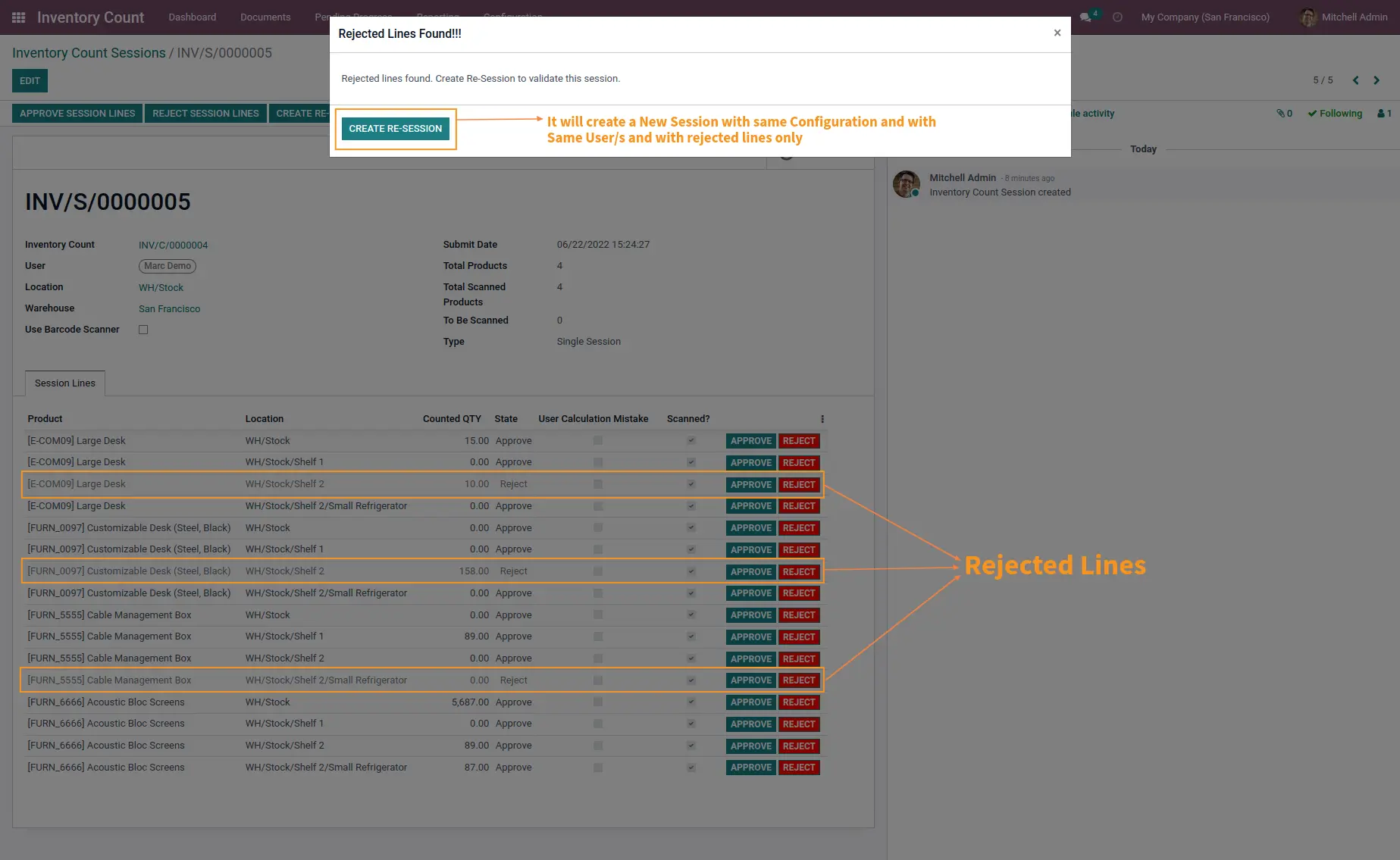
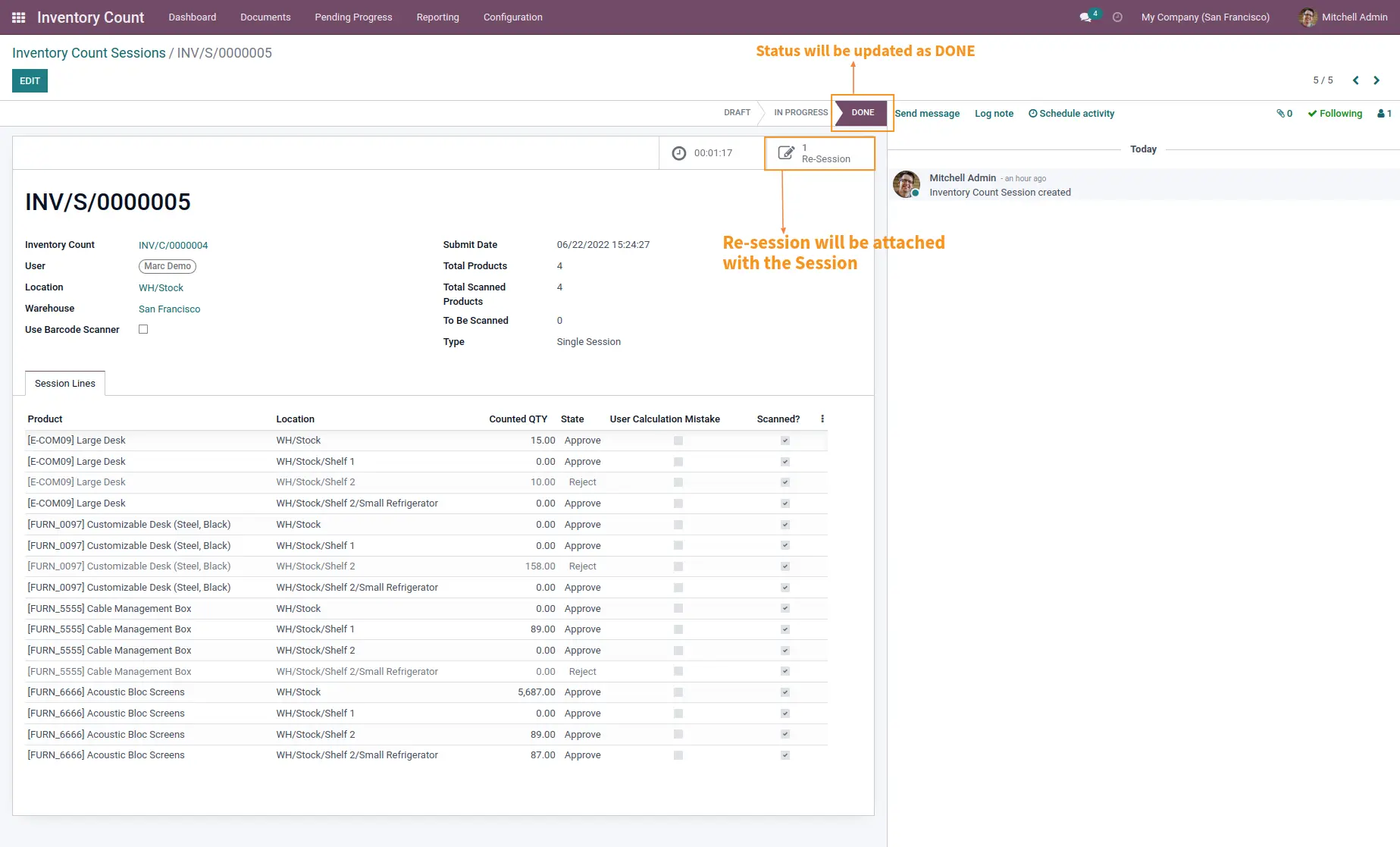
Approve/Reject based on discrepancy generated
Allows manager to
analyze and take action to either approve or reject the quantity counted
by User based on real time analysis and discrepancies.
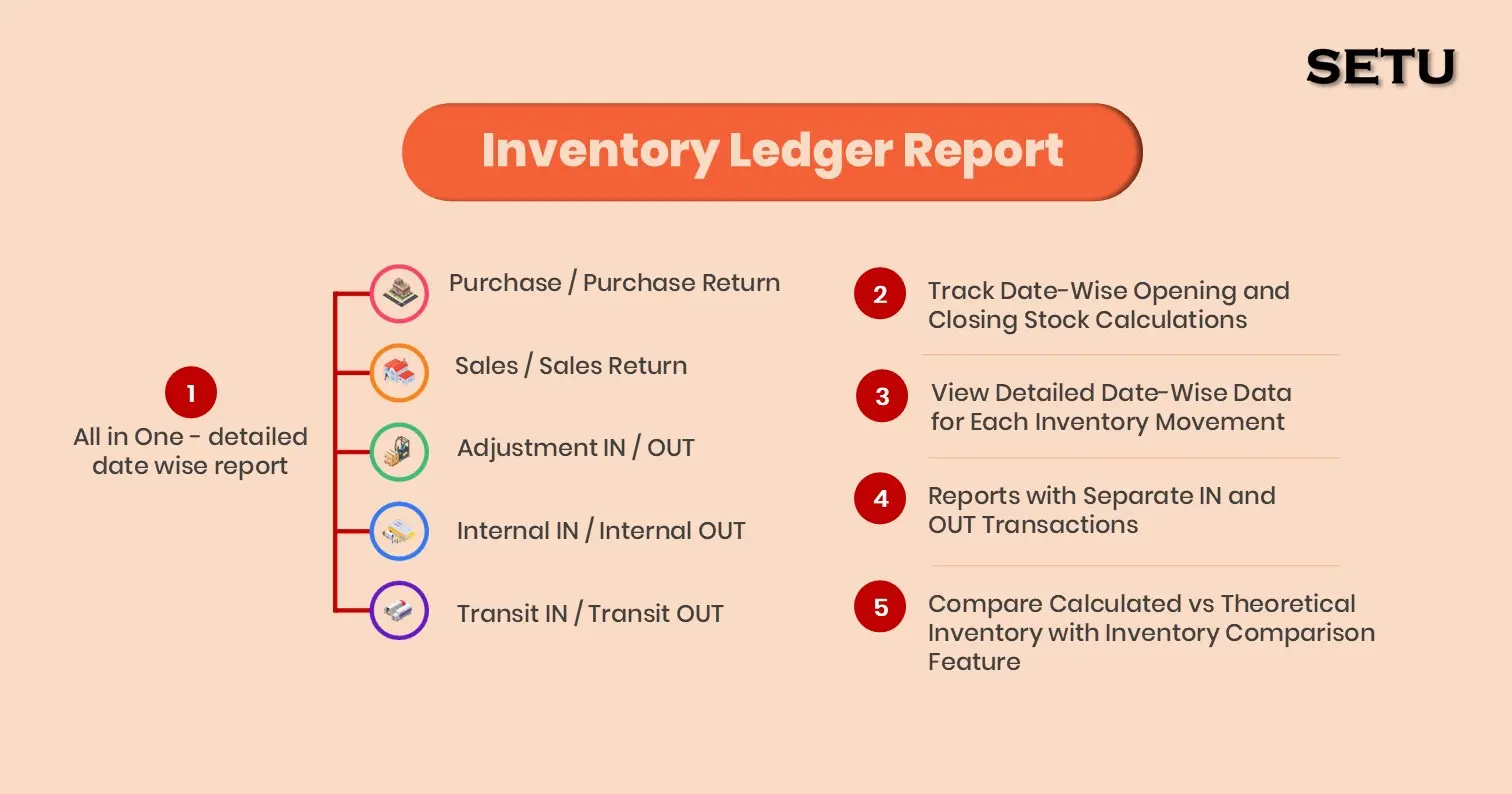
Inventory Count Report
This report allows you to track and analyze over the difference in quantity between the theoretical quantity in system and the counted quantity for the products belonging to which Warehouse at Which location.
Adjustment Report
This report allows you to track and identify that for which products of which Warehouse at which location
The counted quantity is more than the one in system and what adjustment of quantity was done aiding to solve overstock Nightmare.
The counted quantity is less than the one in system and what adjustment of quantity was done aiding to solve Out-of-Stock Nightmare.
User Statistic Report
This report allows you to analyze which user performed how many tasks and what percentage of calculative mistakes were done by the user and thus analyze over performance of the user.
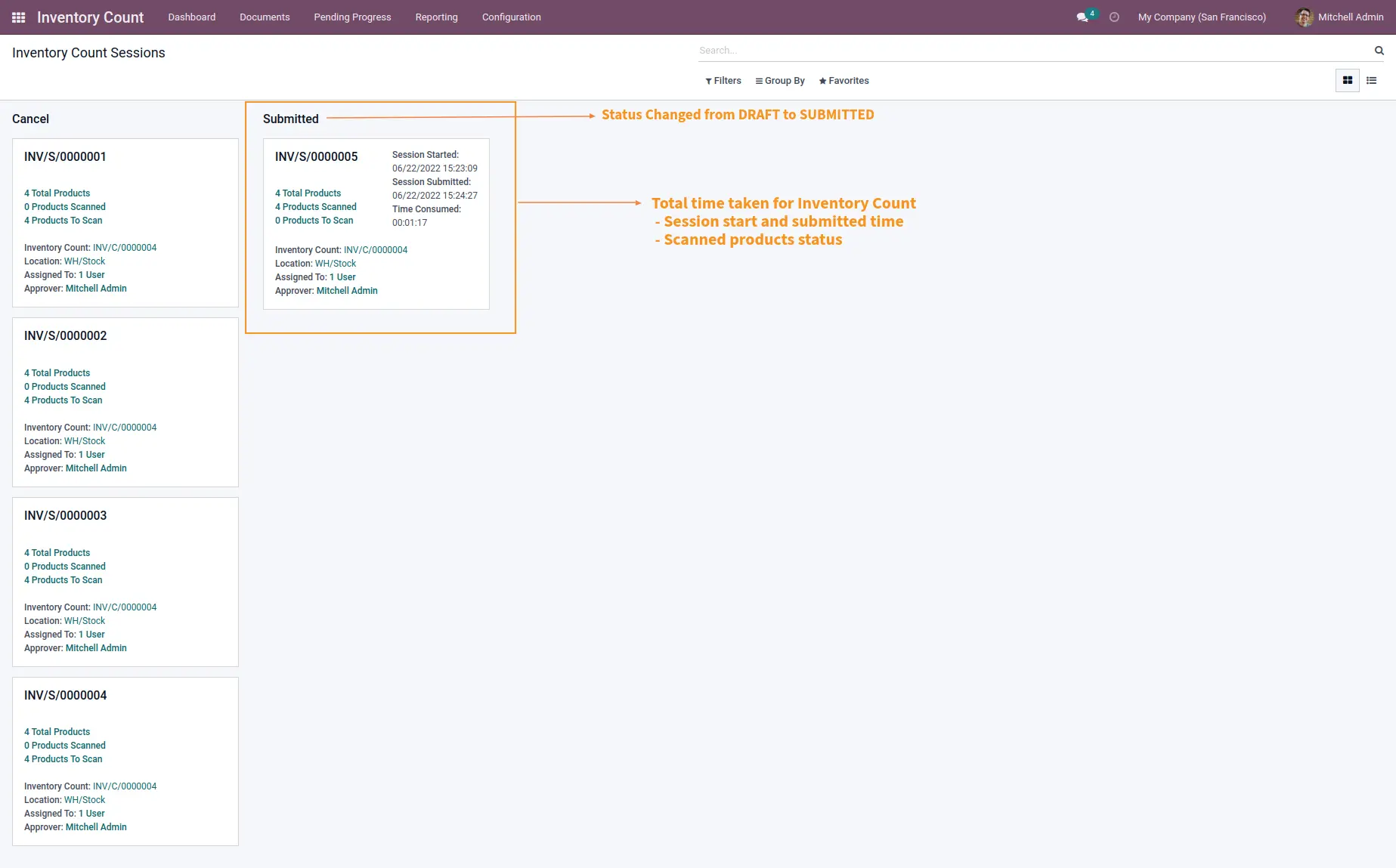
Informative Dashboard
You can analyze and gather all information about current status of each Inventory Count session displaying all details about time, date, users assigned, manager assigned, total number of products with Warehouse Location under calculation, number of products scanned and number of products remaining to count and all such details in most user friendly manner.
Screenshots
| Version | 14 or 15 or 16 or 17 or 18 or 19 |
XPERTNEST SOLUTIONS PRIVATE LIMITED
2025-04-24XPERTNEST SOLUTIONS PRIVATE LIMITED
2025-04-24Very Useful Module to track and count inventory It's very useful module to track inventory location and warehouse wise.
Ahmet Akkuş
2024-06-06Ahmet Akkuş
2024-06-06Amazing helpful support We are happy work with setu, they are making good projects. and support team also very helpful, Thank you
FnA Services Ltd
2024-05-02
FnA Services Ltd
2024-05-02
The most comprehensive inventory count module i have come across. We can do manually as well as using barcode for our inventory count. The support services from the team is excellent & as well as the communication & availability of the team. Not only the product that deserve a 5* but the team should have a 5***. I would definitely recommend Setu Consulting to everyone & myself looking forward to work on other project with them. 11/10.
Will Wilson
2024-02-13
Will Wilson
2024-02-13
Great Solution! Excellent for detailed counting of warehouse stock. Lots of options to verify, double check, and design a workflow for warehouse inventory cycle counts. Setu is super helpful with support and capable of custom work as well. I highly recommend them and this app. - Will, TN Cheesecake
Luis Mijango
2023-07-26Luis Mijango
2023-07-26Easy to use and very useful if you make constant inventories of your warehouses. Essential to make inventory adjustments with several users at the same time and be able to keep track of the count. I have been using it since version 16 of Odoo, I migrated to version 17 and the use of this module is still just as essential. In addition, the advisors are very friendly and constantly monitor that you are satisfied with the app.
Luis Mijango
2023-07-26Luis Mijango
2023-07-26They give you the necessary support, depending on the region where you are from, communication can be a bit complicated but I see a lot of interest from the developers to support you with your doubts and inconveniences. Very satisfied with the functionality of the module, considering the drastic change from version 13 to version 16 this helps to have a higher order of inventory adjustments. 10/10
Abdelrahman Adel Nasser
2022-07-21Abdelrahman Adel Nasser
2022-07-21Thanks alot for the module and for the aftersales support, Setu Consulting Services, had been really supportive, and performed an informative reprisentation as soon as we requested, thanks again :)

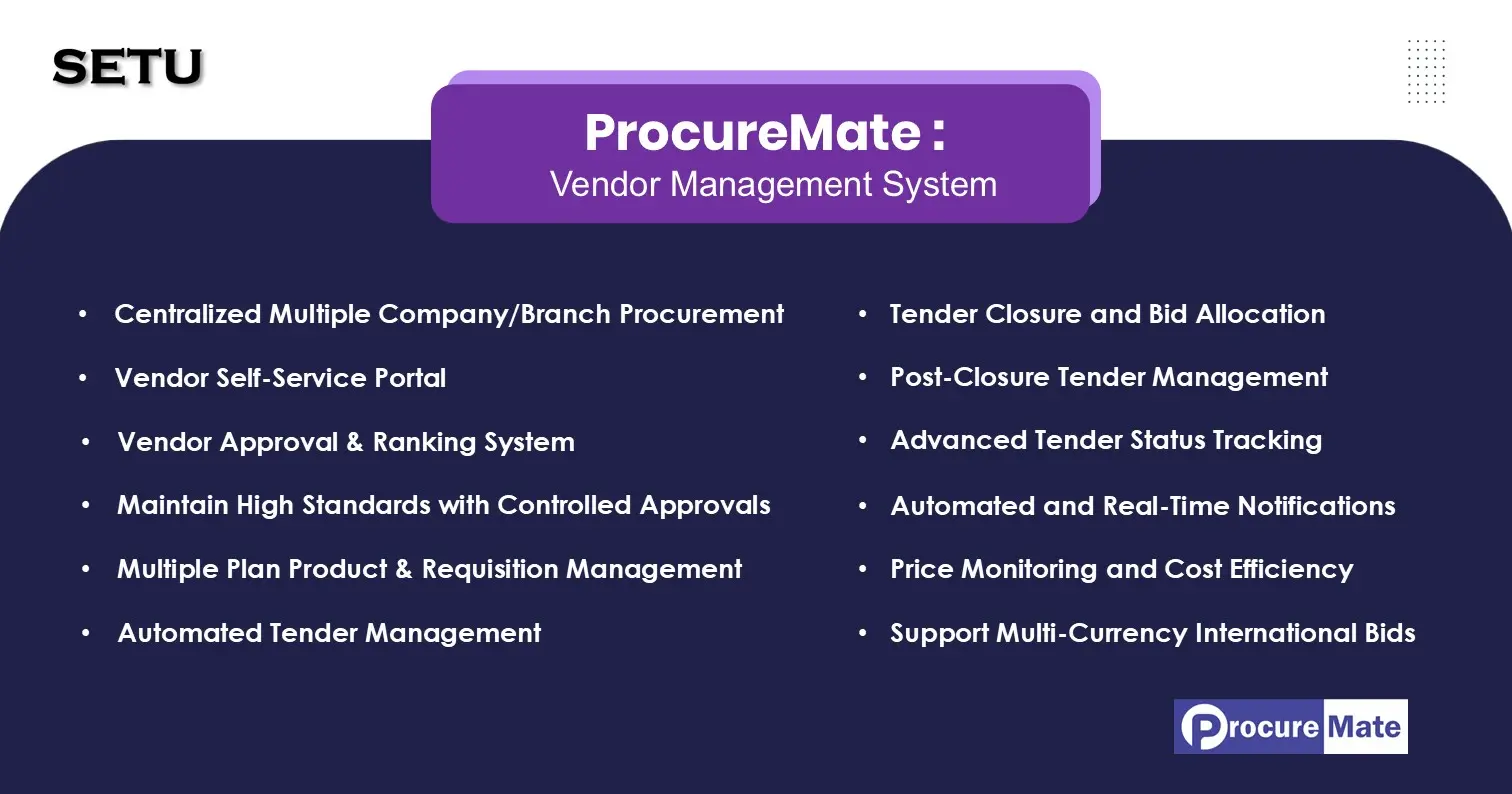
sales@procuremate.pro www.procuremate.pro
Revolutionizing Procurement Management with a Comprehensive Tender Management System






Odoo Certified Partner



Watch and subscribe

Suggested Solutions